
Quickly Find Posts
What is this feature?
Quickly Search works like entering keywords in a search box: it helps you quickly review original posts accumulated in a workspace. Before building complex charts, you can first scan whether a topic is actually being discussed and which platforms are seeing reactions. It is useful before or after detailed Query analysis when you want to quickly check how many original posts are related to a specific platform or keyword.Use it to answer questions like these
- “Is this keyword actually being mentioned recently?”
- “Where do more posts appear: TikTok, YouTube Shorts, or Instagram Reels?”
- “Which original posts use this hashtag or phrase?”
- “I want to quickly check whether enough source data has accumulated before reviewing Query Dashboard.”
- “I want to see whether a specific issue has increased over the last few days.”
When should I use it?
- When you want to quickly review original posts by platform, such as TikTok, YouTube Shorts, and Instagram Reels
- When you want to find original posts by a specific word, hashtag, or engagement metric condition
- When you want to see how post volume by platform has changed over the last 30 days
- When you want to check the distribution of original data before looking at Query analysis results
Before you start
- You must first enter the workspace you want to review.
- You need permission to view that workspace.
- If the workspace is different, the visible results and aggregation criteria may also be different.
How to use it
1. Open Quick Search
Open the Quick Search search screen from within the workspace from the left side menu.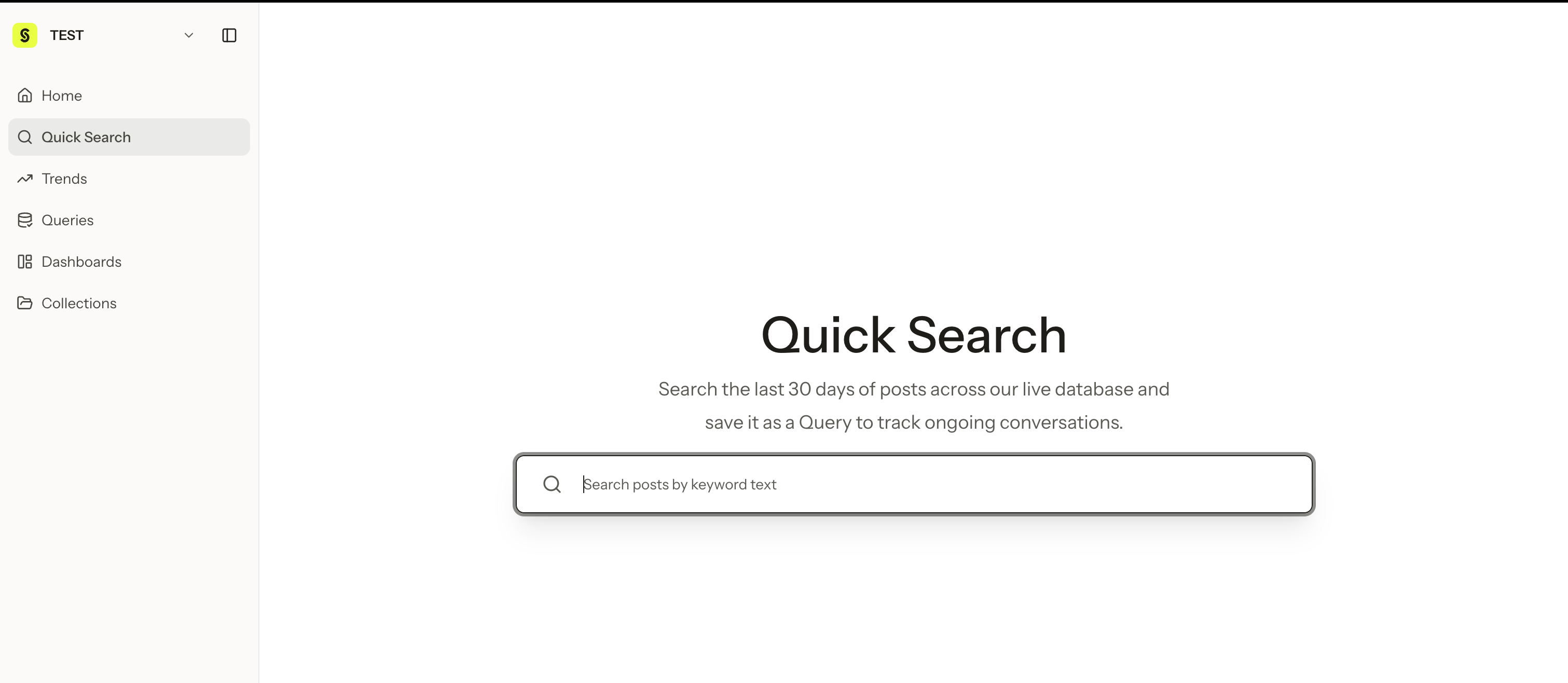
2. Enter keywords
Use the conditions below as needed to narrow down posts. It is usually best to start with fewer keywords, review the results, and then add keywords one by one as needed.3. Review and filter the post list
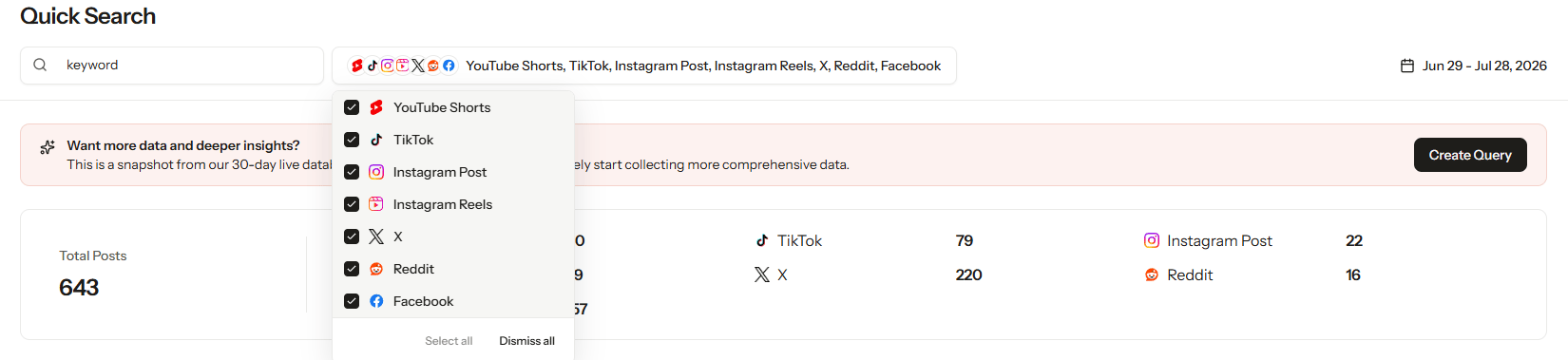
4. Quickly validate a hypothesis
Quick Search is useful for quickly validating a hypothesis before starting a larger analysis. For example, if you have a hypothesis that “this product name is being mentioned often in short-form videos,” you can first search the product name or hashtag in Quick Search to check how many original posts actually exist. If there are enough results, analyze them in more detail in Query Dashboard or charts. If there are only a few results, adjust the search terms, platform, or date conditions.5. Check platform trends from the last 30 days
In Quick Search, you can review daily post counts from the last 30 days. This aggregation splits dates based on the current workspace time zone. For example, the same post may be included on a different date if the workspace time zone is different. The platform-level aggregation shows the following platforms together for each day.- TikTok
- YouTube Shorts
- Instagram Reels
How to read platform trends
Use the last 30 days of trends to understand which platform is more active for a specific topic.- A higher TikTok number may indicate more short-form video reactions.
- A higher YouTube Shorts number may indicate more video reviews or explanatory content.
- A higher Instagram Reels number may be connected to brand image, product usage scenes, or lifestyle content.
How is this different from Query Dashboard?
It is easier to understand the overall flow if you first use Quick Search to check whether there are enough original posts, then analyze them more deeply in Query Dashboard.
Things to note when interpreting results
- Quick Search is designed for quickly searching original posts in a workspace.
- It may serve a different purpose from analysis results in Query Dashboard.
- Platform-level numbers from the last 30 days are reference metrics for understanding changes in post volume.
- Date boundaries follow the workspace time zone, so check time zone differences when comparing multiple workspaces.