
Before you start
Viewing posts in the workspace requiresViewer or higher (Viewer, Writer, Admin) role. Open post detail from a card in Query, Competitive Research, or Collection. If detailed analysis is locked in Quick Search, follow the Query creation prompt to unlock full analytics. Distinguish between viewing source links and accessing deep AI video analysis.
Review a post
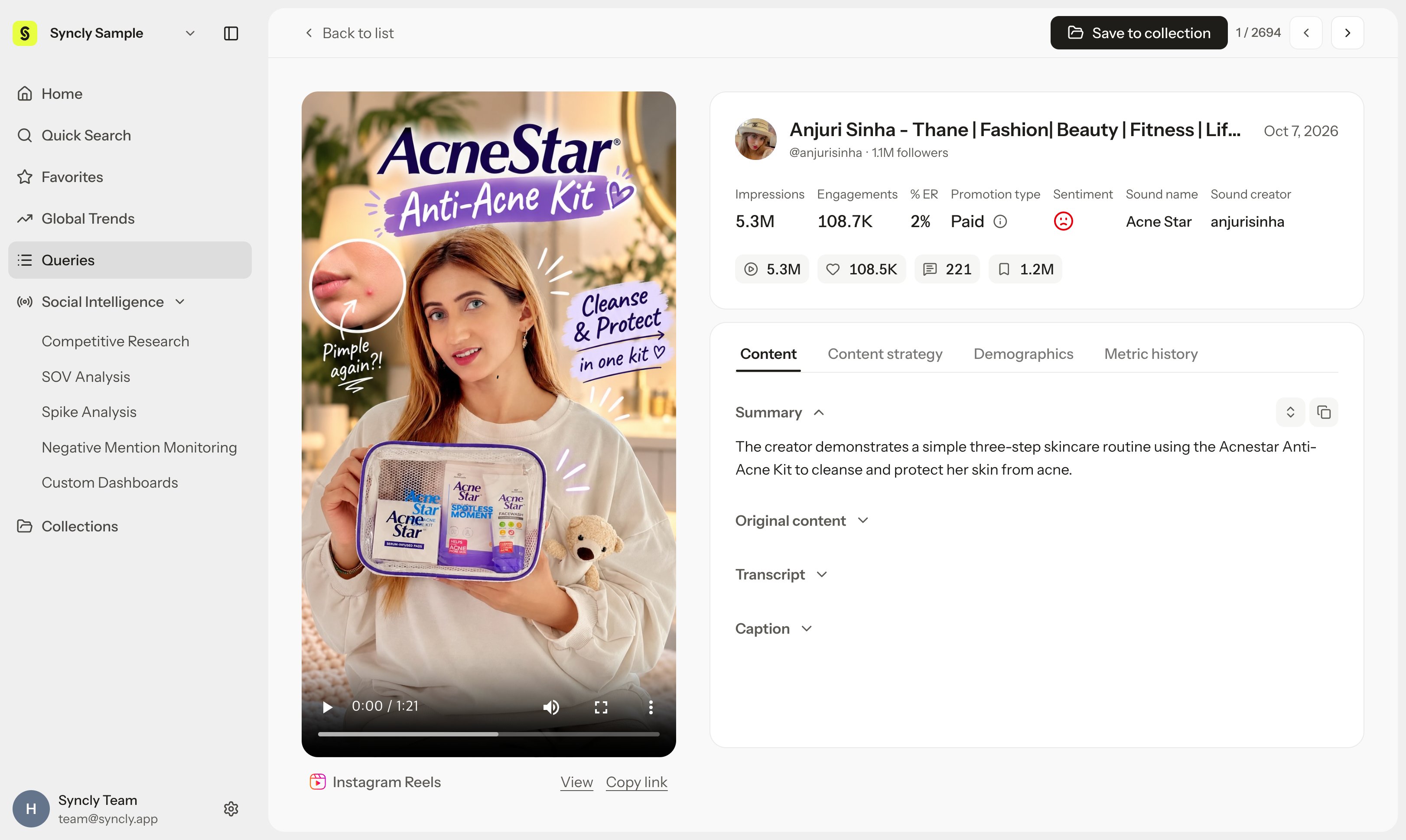
- Select an item in the post list.
- Check its publication date and available performance metrics.
- Open the original content to inspect its wording and context.
- Read the available analysis in Content.
- For a supported short-form post, open Content strategy.
- Expand relevant dimensions to inspect its opening, narrative, visual format, and message.
Content versus Content strategy
Content displays the general summary, core topics, mentioned brands, transcript, and audio captions. Content strategy dissects how short-form content is delivered across six creative dimensions (hook, narrative structure, visual format, unique selling points, call to action, and viral psychology & triggers). See the Content strategy interpretation guide for each dimension’s meaning and use. The Content strategy tab is enabled for TikTok, Instagram Reels, and YouTube Shorts posts. For supported short-form platforms, individual dimension insights populate sequentially as video processing completes.Translate, copy, and move between posts
When translation is available in Content strategy, select Translate to translate analysis text and See original to return to the source language. Translation and Copy all actions are located in the first analysis dimension’s header. Translation applies to analysis text rather than dimension names. Copy all neatly copies the dimension names and actual analysis in the currently displayed language to your clipboard, omitting introductory guidance and status placeholders. When previous/next navigation is available, confirm the target post has changed. Moving between supported posts while keeping Content strategy selected resets the view with Hook expanded by default.Read performance metrics
Distinguish currently available metrics from observations recorded at specific milestones after publication. Latest available (current cumulative metrics) and Day 1/2/3/7 (milestone snapshots by days elapsed since publication) in Competitive Research’s Posts view use different comparison points. An unobserved blank Day cell indicates missing observation data, which is distinct from a recorded numeric 0. See the glossary and metric interpretation rules. Engagement rate is calculated for video posts where views or impressions are collected, while availability and detail tabs vary by platform:- Instagram feed posts: engagement rate isn’t shown on the post card or detail view, but you can still see and sort by it in table views and XLSX exports.
- YouTube long-form: plays in an embedded player and shows YouTube’s transcript. The Content strategy tab isn’t available.
- TikTok, Reels, Shorts: full analysis, including the Content strategy tab.
Confirm results and troubleshoot
- Check that the source video’s audio-visual scenes and the analysis text accurately describe the same content.
- If a dimension displays No analysis results available for this dimension yet.: This indicates that automatic analysis data is generating or available creative signals are limited, so review the source video directly or consult other populated dimensions.
- If Failed to load content strategy. appears, select Retry to fetch it again.
- Check that copied content matches the current post and display language.