
Before you start
- Query setup: Prepare at least one Query of the same type (Brand, Product, or Topic) within the same workspace.
- Permission tiers: Reviewing existing spike results and source posts requires workspace
Vieweror higher (Viewer,Writer,Admin), while creating Spike Analysis items or initiating new date analyses (Analyze) requiresWriterorAdminpermissions. - Analysis execution flow: Creating a Spike Analysis card establishes the tracking container; to analyze a specific surge, you must select that date on the timeline chart and run Analyze.
Analyze a spike date
- Navigate to
Social Intelligence > Spike Analysisin the sidebar and click Start analysis at the top to create a new card, or open an existing card from the list. - Adjust the date range on the timeline chart to locate the surge window.
- Click on a specific date where impression or mention volume peaked.
- Click the Analyze button to submit an in-depth analysis request for that date.
- Once processing finishes, the card reflects the completed status; click to review the detailed report.
- Examine the identified Key Driver, themes, and supporting source posts.
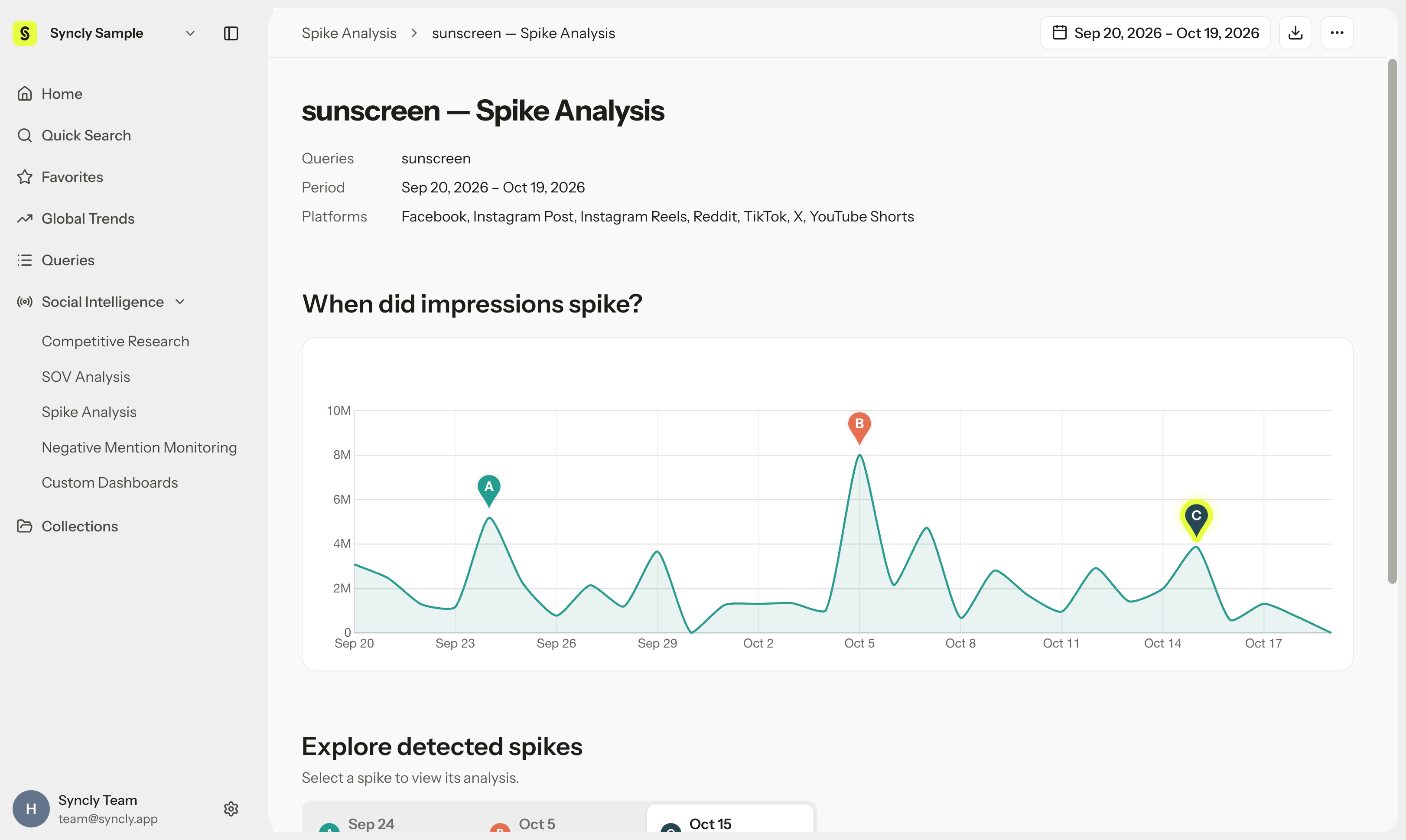
Reading the results: 5-day context and spike day Key Driver
Spike Analysis combines macro contextual momentum with granular day-of evidence:1. Surrounding 5-day context window (D-2 to D+2)
The report displays metrics (impressions, post volume, engagements) across five consecutive days: two days before the surge (D-2), the selected date, and two days after (D+2). This helps you quickly assess whether the spike was an isolated single-day anomaly or part of a multi-day viral wave.2. Spike day deep dive (Key Driver)
- Key Driver: AI synthesizes content and dialogue generated on the spike date to pinpoint the primary catalyst behind the surge.
- Themes and external events: Connects the conversation with potential real-world drivers such as product launches, creator challenges, press features, or offline events.
- Source post evidence: Displays the top-performing posts that generated the highest impressions and engagement on that day. Click any post to inspect its creative execution, audio cues, and audience comments.
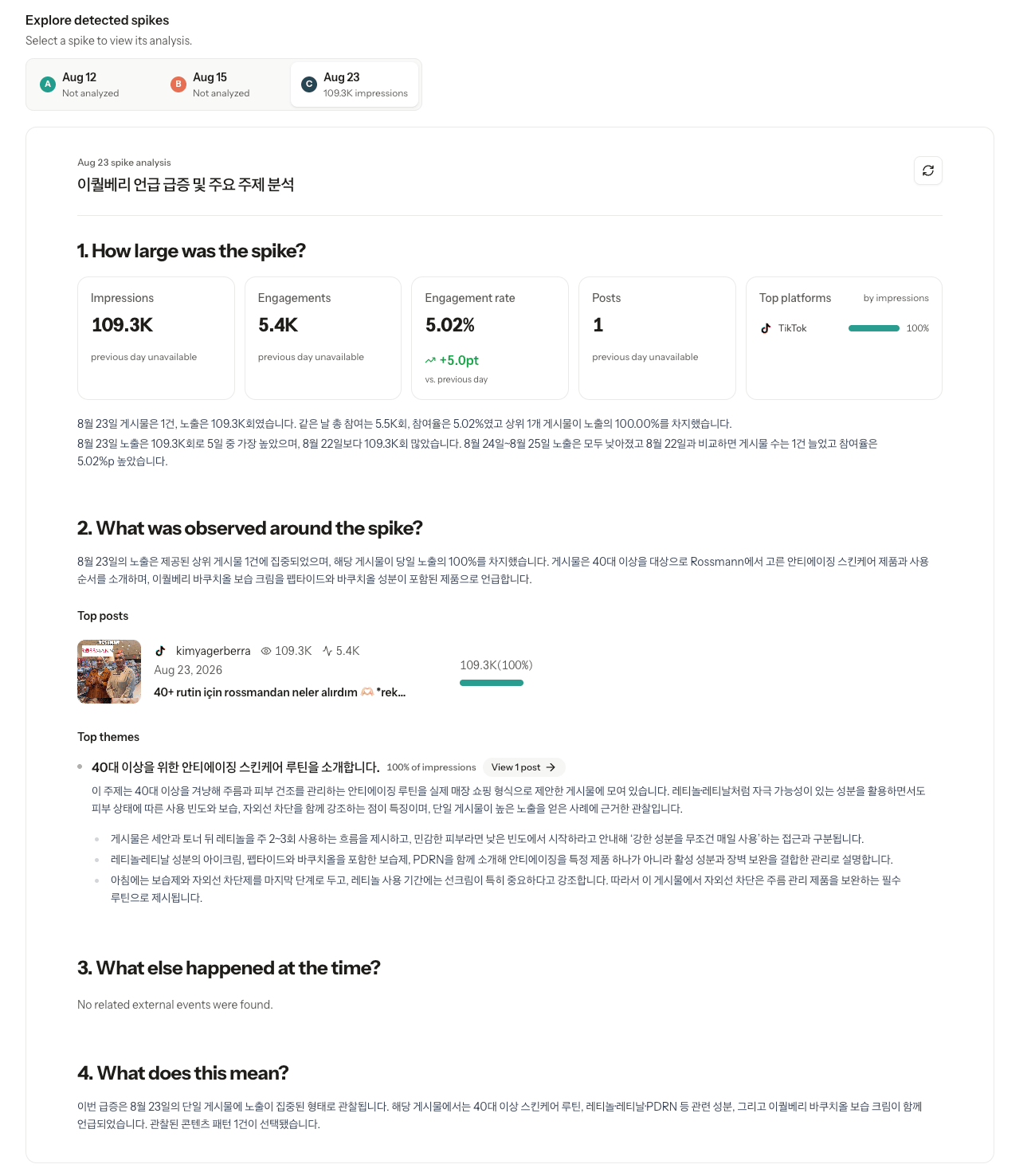
The 5-day metric window (D-2 to D+2) provides helpful trend context, while the Key Driver and thematic summaries focus specifically on the selected spike date. Treat AI Key Driver insights as well-substantiated analytical hypotheses, and cross-reference them with the linked source posts to confirm winning creative formulas.