
Before you start
- Query configuration requirements: Prepare at least 2 Queries of the same type (all Brand, all Product, or all Topic) within the same workspace.
- Role assignment: Exactly 1 Query must be assigned as your owned brand/product, while you can add 1 or more competitor Queries.
- Permission tiers: Viewing results requires workspace
Vieweror higher (Viewer,Writer,Admin), while creating new SOV analyses or editing setups requiresWriterorAdminpermissions.
Create an SOV analysis
- Navigate to
Social Intelligence > SOV Analysisin the sidebar and click Start analysis at the top. - Select 2 or more Queries of the same type to compare.
- In the selection list, find your brand or product Query and click Set as owned to designate it as your owned Query (
Owned). The remaining selected Queries are automatically designated as competitors. - Review the analysis name and Query selections, then complete creation.
- Open the newly created SOV card to inspect share distributions and period comparisons.
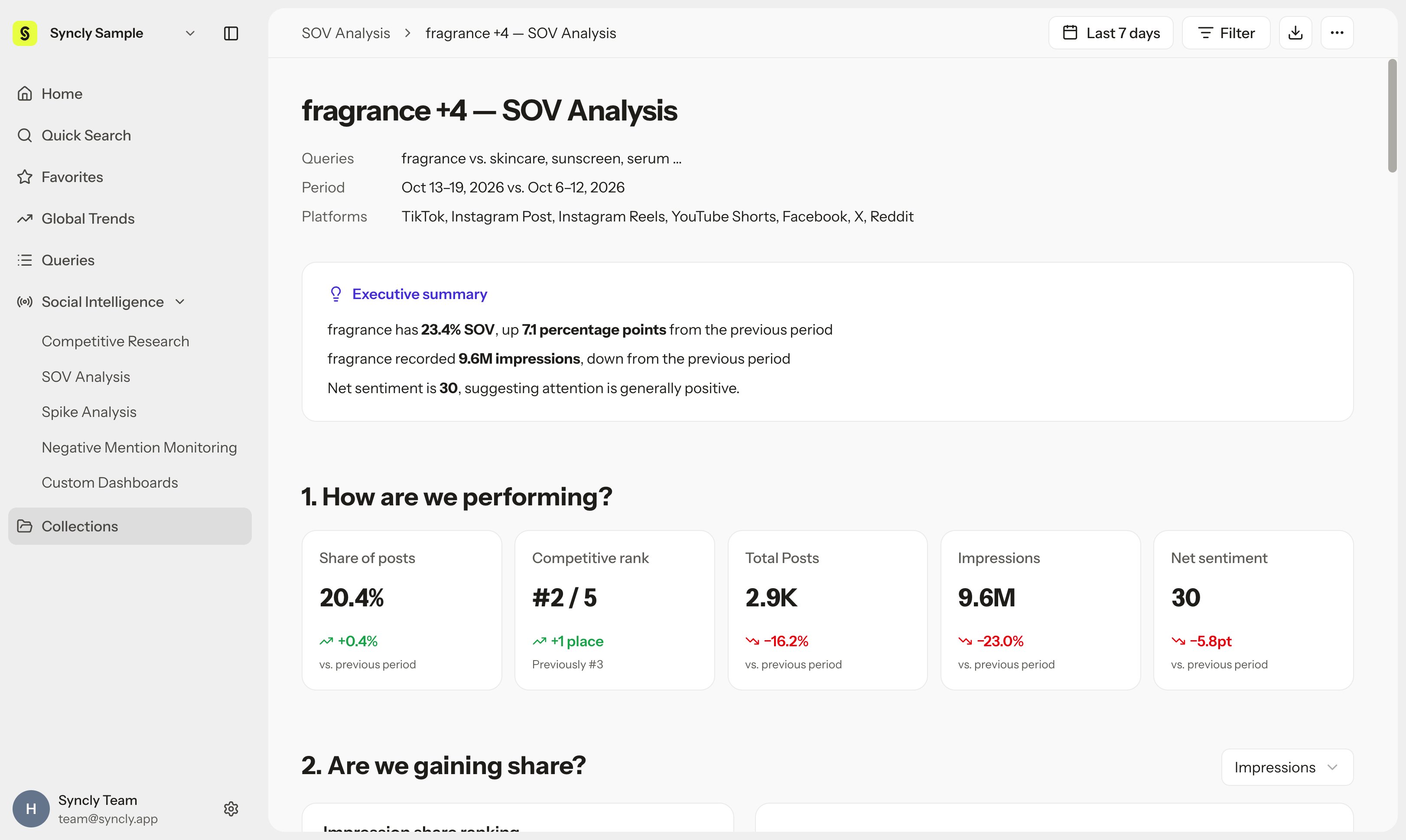
Analysis periods and reference windows
- Default date range: Based on your workspace time zone, the default period covers the most recent 7 completed days (excluding today) and automatically compares against the immediately preceding 7-day period.
- Custom comparison periods: Use the top date picker to choose the last 30 days or custom historical windows to track quarterly or campaign-driven shifts.
Core metrics and reading units
SOV Analysis provides four primary comparative metrics:Interpreting unit changes
- Share changes: Period-over-period changes in Share of Voice are expressed in percentage points (pp), not percent (%). For instance, going from 20% to 25% is +5 pp, not +25%.
- Sentiment score changes: Changes in Sentiment Score are expressed in score points (pt).
- Relative metric nature: Because the denominator is the sum of values across the selected Queries, modifying the competitor group naturally recalibrates your brand’s SOV figures.
When a single post mentions both your brand and a competitor, it is credited to each Query’s individual count. Consequently, the sum of post counts across Queries may exceed the deduplicated unique post total.
Strategic interpretation tips
- Post share vs. impression share divergence: If your post volume share (Posts SOV) increases while your impression share (Impressions SOV) declines, competitors may be securing broader reach through a few viral videos or high-impact creator partnerships.
- Inspect top posts: Whenever you observe a sharp divergence in share, click the top posts in the summary table to examine the specific creative assets driving those metrics.