
When to use it
Use this workflow to choose your next brand content theme, compare competitor video delivery methods, or provide creator and agency production briefs with clear creative rationale. If you need the meaning of individual dimensions, first read the Content strategy interpretation guide.Before you start
Viewing posts requiresViewer or higher (Viewer, Writer, Admin) role, while saving curated references to Collections requires Writer or higher (Writer, Admin) role. This workflow empowers marketers to turn data-backed insights into concrete creator briefs and A/B test plans.
1. Define your comparison baseline and reference posts
To discover high-performing reference posts, use three live surfaces available in the product:- Posts tab in Social Intelligence > Competitive Research: Compare top-performing posts across competitor brands or products in a single view.
- Posts tab in Queries detail: In the sidebar under Queries (Brands, Products, or Topics), open a Query’s detail view and sort posts by key metrics such as views or engagement rate (ER) to identify standout benchmarks.
- Social Intelligence > Spike Analysis: Identify high-momentum videos that drove sudden surges in engagement or mention volume.
2. Read the source and its delivery approach
Review the source video and metrics in each post’s detail view, then inspect the six Content strategy dimensions. Verify whether the AI-extracted analysis matches actual visual and audio scenes, prioritizing takeaways supported by clear video evidence. Review individual post strategies, then aggregate multiple reference posts into a collection to analyze recurring creative patterns. To synthesize multi-post patterns at scale, leverage Hey Syncly prompts across the collection.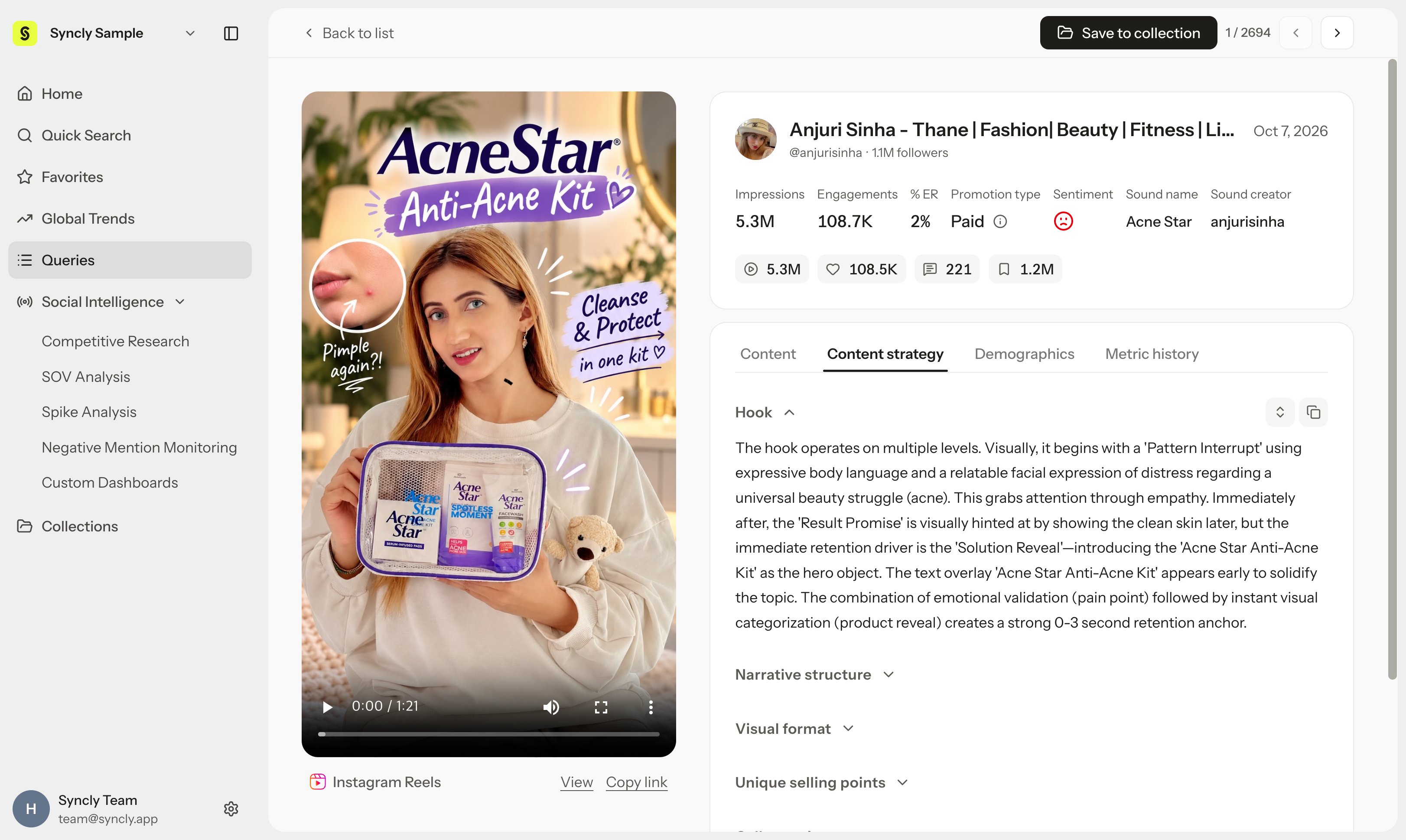
3. Separate reusable principles from elements not to copy
While structural storytelling techniques (such as opening with an extreme problem close-up) provide valuable benchmarks, reframe them using your brand’s unique voice, authentic product context, and proprietary visual assets. Applying the illustrative pore care serum video from the Content strategy guide illustrates this workflow:- Observation: It opens with an extreme close-up of cakey makeup clinging to pores, leading into a 50/50 split-screen demonstration after serum application.
- Hypothesis: For 20-30s viewers facing foundation caking, an opening that immediately targets the frustration of clogged pores will maximize 3-second retention.
- Application: Produce original close-up footage highlighting your pore serum’s patented ingredients and lightweight watery texture.
- Validation goal: Isolate the opening variable while holding audio, length, and product category constant to evaluate 3-second view retention.
4. Save Reference Posts and Evidence
Organize your reference videos into a Collection. Record source links and core observations in your team documentation as well. Curating reference videos in a collection organizes your team’s swipe file and provides the direct dataset for multi-post synthesis in Hey Syncly.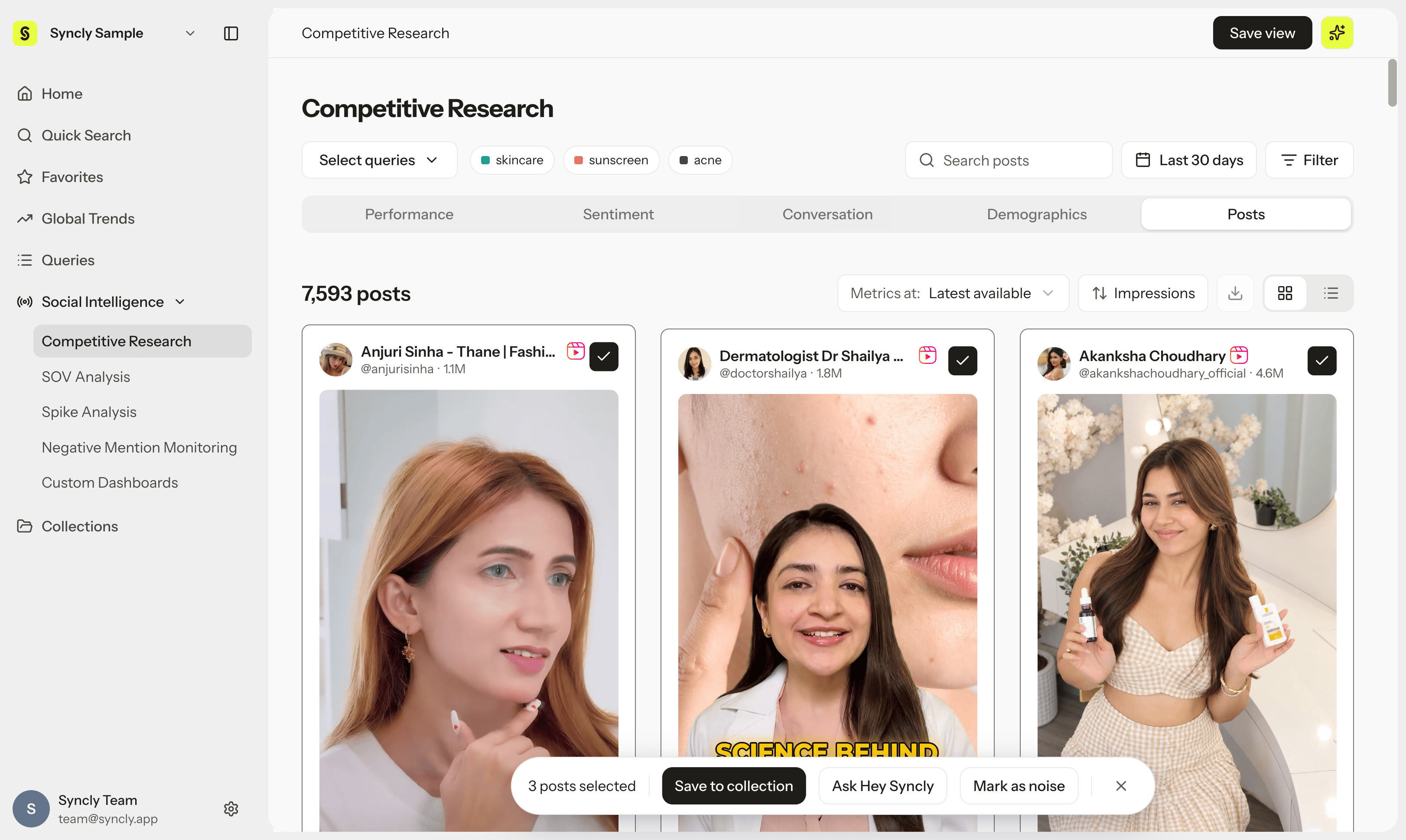
5. Decide what to test next
Prioritize testing one key creative variable rather than changing multiple elements simultaneously. Below is a production brief template structured around testable hypotheses ready for creator handoff.Confirm completion
- Reference posts are linked directly to source video evidence.
- Raw observations, planning hypotheses, and validation criteria are clearly distinguished.
- You isolated one testing variable while keeping baseline conditions constant.
- You defined evaluation metrics, observation windows, and external confounding factors.
Troubleshoot
- If analysis results are still generating: Inspect the source video directly and note unconfirmed dimensions.
- If distribution conditions (publish date, account size) vary widely: Use them as exploratory references rather than declaring a definitive winner.
- If saving to a collection fails: Verify your
Writeror higher (Writer,Admin) role and post availability.