
Before you start
- You need Editor or Admin permission to create a Content guide. Viewers can view existing guides.
- Pick a reference video that’s close to what you want to make. A guide is based on one video at a time.
Create a guide
You can start a guide from:- Top posts: Select Create content guide on any post.
- A post’s detail view: Select Create content guide at the top of the post.
- Select Create content guide.
- Wait while Syncly builds the guide. This takes a few minutes, so you can keep working in the meantime.
- Open the finished guide in Content > Content guides.
What’s in a guide
Reference analysis breaks down the original video:- What’s in the video: What was actually observed
- Hook: How the opening grabs attention
- Core message: The main point the video gets across
- Flow: How the video unfolds
- Recurring techniques: The directing style it repeats
- Interpretation: Why those choices work
- Production direction: How to apply the idea to your own content
- Scene-by-scene plan: Each reference scene, analyzed and matched with a plan for your version
- Visual direction: Framing, shots, and on-screen elements
- Audio direction: Voiceover, music, and sound
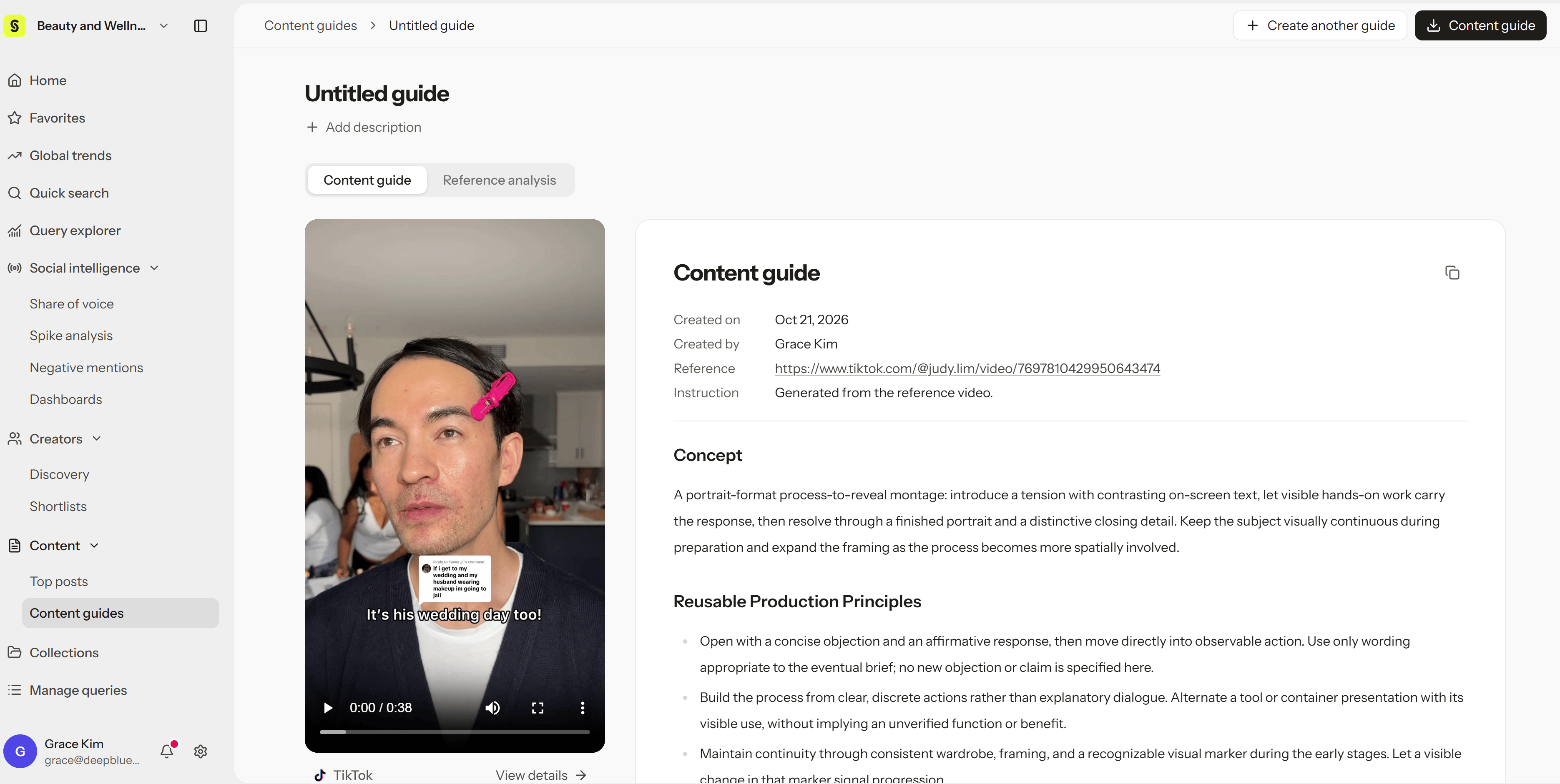
Manage your guides
In Content > Content guides, you can:- Open any guide to read it in full
- Edit a guide’s title and description
- Copy a guide or download it as a PDF to share with your team or creators
- Delete guides you no longer need
- Filter guides by reference post
Content guide vs. Content strategy
- Content strategy breaks down how an existing video was made, across six dimensions.
- Content guide goes a step further and turns a reference video into a plan for your next one.