
Before you start
- Anyone with Viewer permission or higher can explore trends.
- Creating and managing email subscriptions requires Editor or Admin permission.
- Editors can edit or delete the subscriptions they created.
- Admins can manage all subscriptions in the workspace.
Explore trends
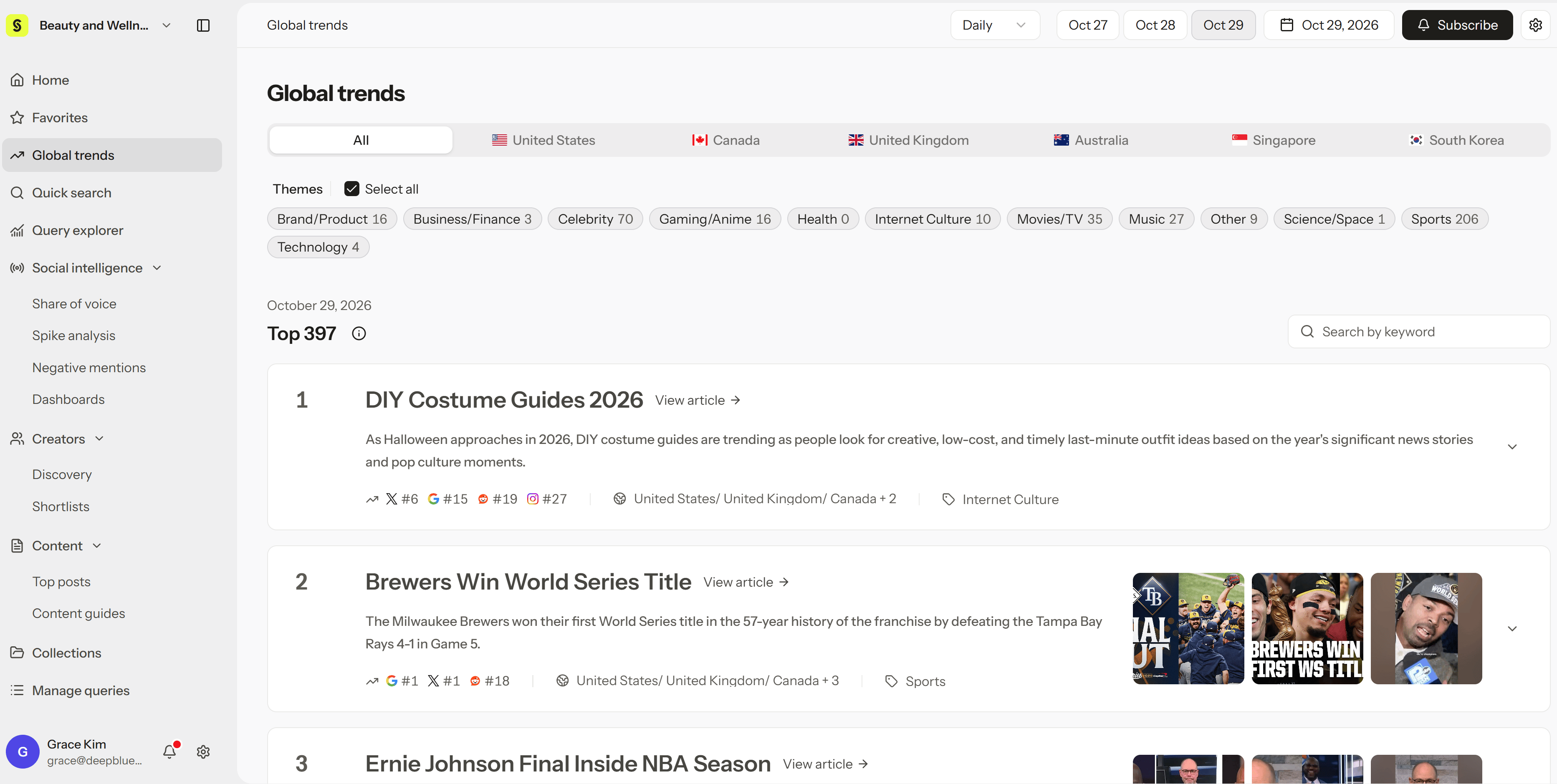
- In the sidebar, open Global trends.
- Choose Daily or Weekly at the top.
- Choose a date.
- Filter by country and theme.
- Select a trend card to read what’s driving it and see the posts behind it.
Subscribe by email
- Select Subscribe at the top right.
- Choose to create a new subscription.
- Choose the countries, themes, and whether to send daily or weekly trends.
- Add recipients (teammates or people outside your workspace) and set the delivery time.
- Save, then check that it appears in your subscription list.
Weekly means the trends cover a 7-day period, not that the email is sent once a week. Emails are sent every day at the delivery time you set. A new subscription starts at the next delivery time, not right away.
Manage subscriptions
- Edit: Open a subscription under Subscribe to change recipients, delivery time, countries, or themes. Changes apply from the next delivery.
- Delete: Remove subscriptions you no longer need. Recipients can also unsubscribe using the link in any email.
Tips and troubleshooting
- Global trends isn’t in the sidebar: Ask your workspace Admin to check your plan and feature access.
- Weekly trends aren’t there yet: They appear once the week’s analysis finishes. For the latest movements, use Daily.
- An email didn’t arrive: Check the recipient address, the delivery time, and your spam folder.