
Before you start
- You need Viewer permission or higher to search. Saving to a Shortlist requires Editor or Admin permission.
- Results include creators from your workspace’s Queries and from Syncly’s creator pool.
Search for creators
- In the sidebar, open Creators > Discovery.
- Choose how to search:
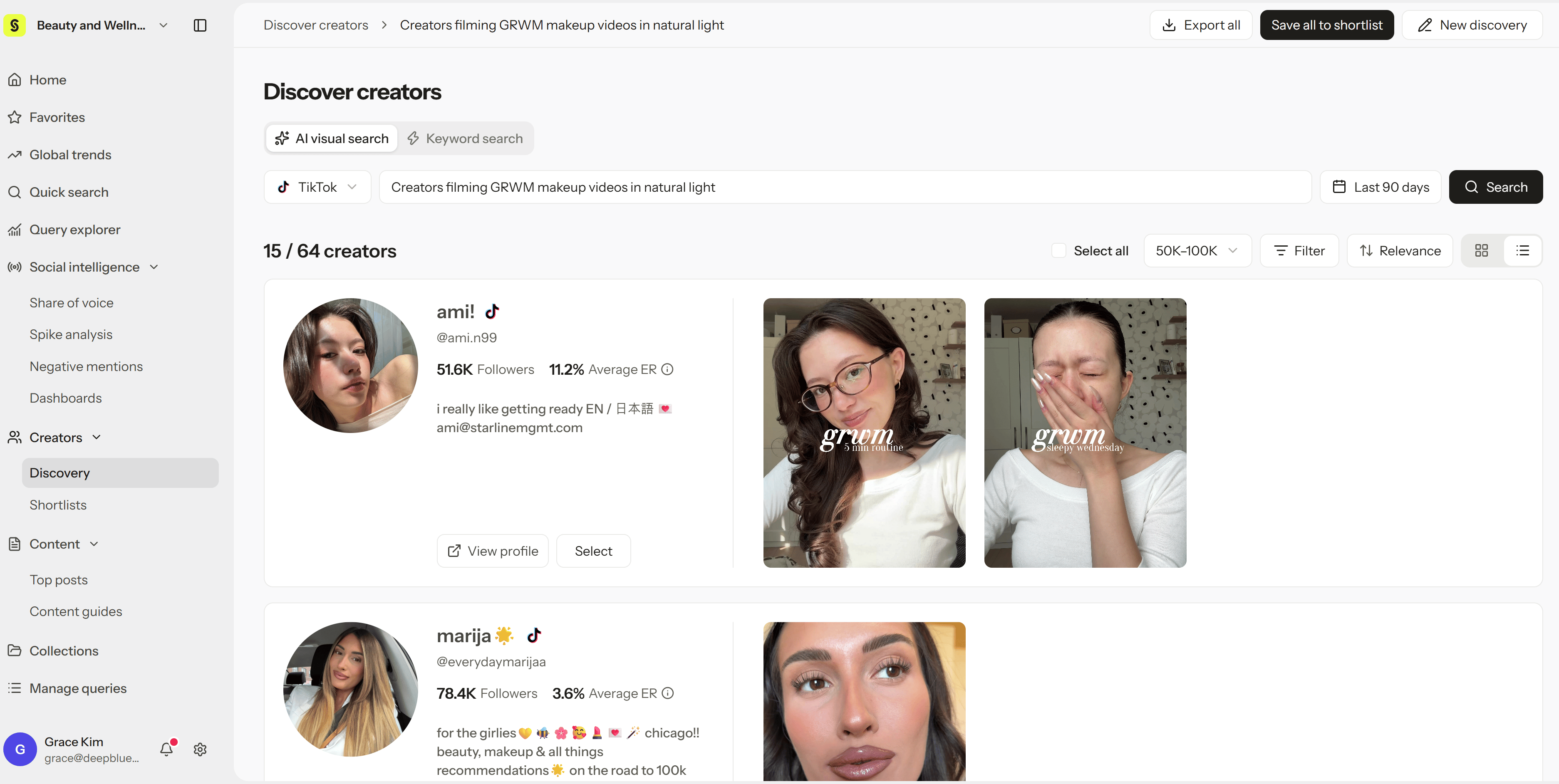
- AI visual search: Describe the content you’re looking for in plain language, such as “Creators filming GRWM makeup videos in natural light.”
- Keyword search: Search by keywords, such as a product category or topic.
- Choose a platform and date range.
- Select Search.
Review results
Each creator card shows:- Their bio, followers, and average engagement rate
- Example videos that match your search. Hover over a video to see its views, engagements, and engagement rate.
Find lookalike creators
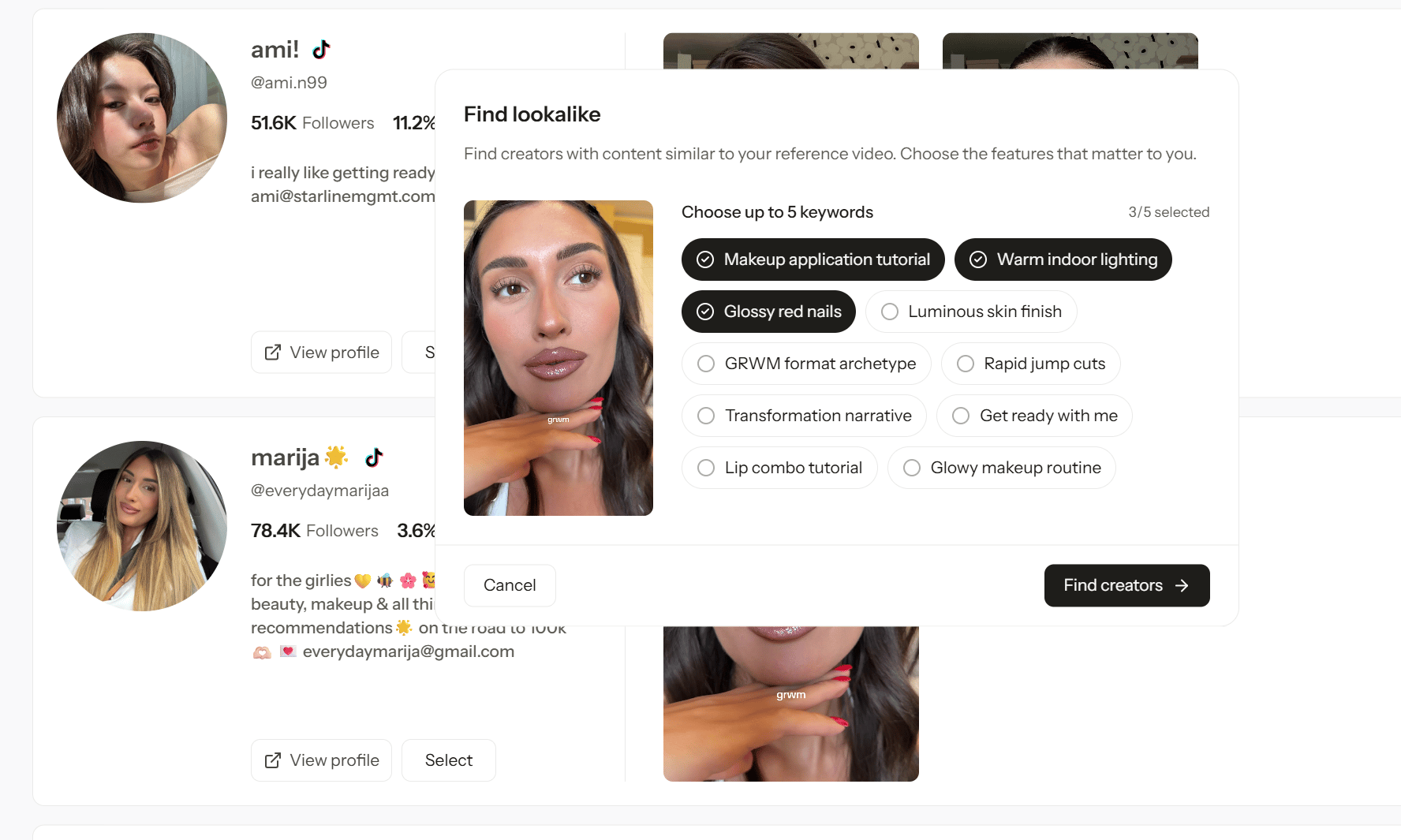
Found a video that’s exactly the style you want? Use it as a reference to find more creators like it.- Hover over a video in a creator’s card and select Find lookalike.
- Syncly suggests features from that video, such as Makeup application tutorial or Warm indoor lighting. Choose up to 5 that matter most to you.
- Select Find creators.
Save to a Shortlist
- Select Select on the creators you want, or Select all, then save them to a Shortlist.
- To save every result at once, select Save all to shortlist.
- A post’s detail view, using the save to Shortlist button at the top
- The selection bar in Query explorer, after selecting posts