
Top posts shows the best-performing short-form videos from your Queries, so you can quickly spot what’s working and turn it into ideas for your own content. Top posts covers TikTok, Instagram Reels, and YouTube Shorts.

Before you start

  • You need Viewer permission or higher.
  • Top posts uses posts from your workspace’s active Queries. If you don’t have any Queries yet, create a Query first.

Review today’s top posts

  1. In the sidebar, open Content > Top posts.
  2. Today’s top posts shows the day’s highest-performing videos.
  3. Select Review posts to go through them one by one, or select any video to open it.
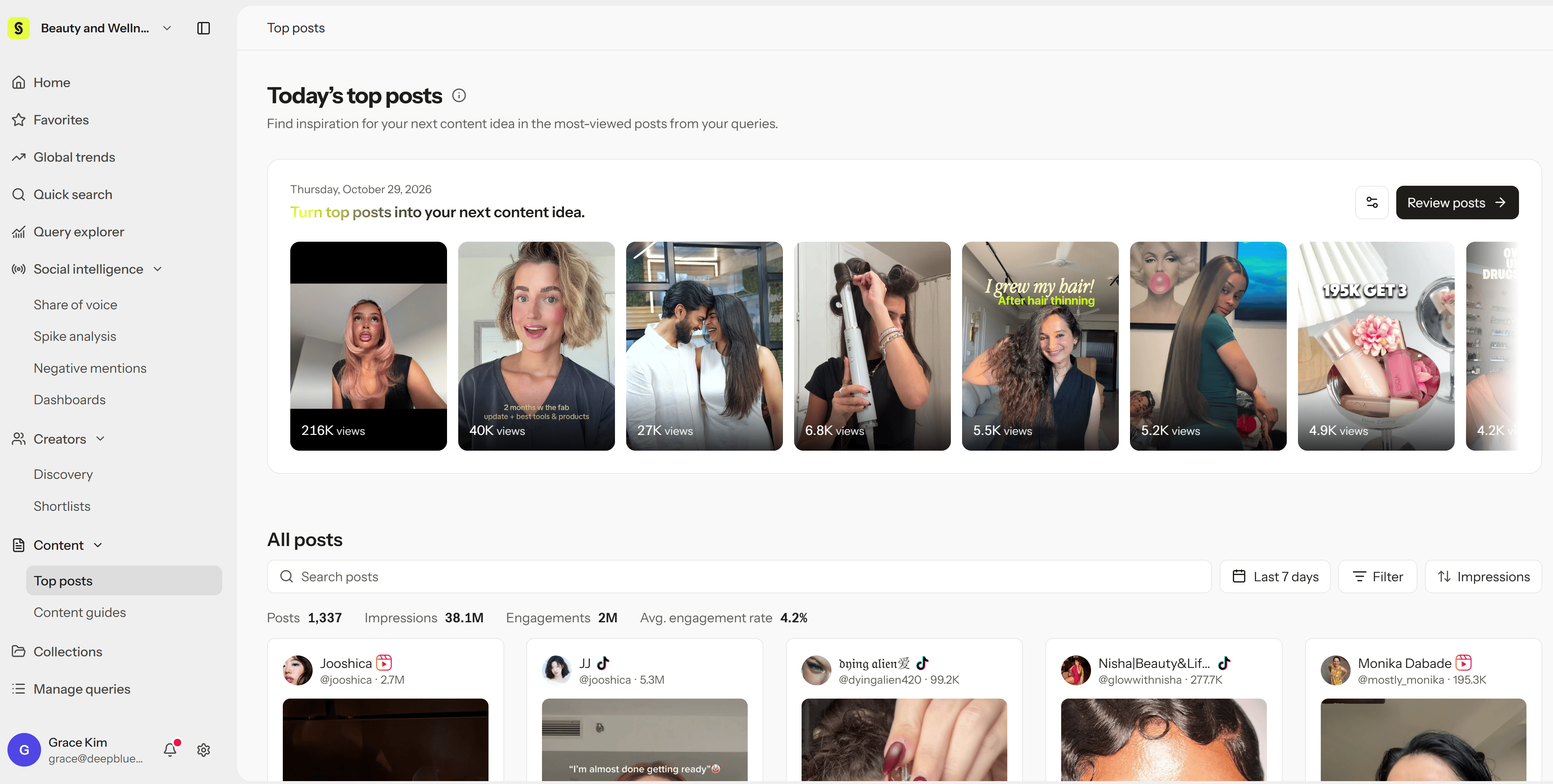
To change which Queries and platforms are included, select the settings icon next to Review posts.
Today’s top posts and the All posts list

Browse all posts

Under All posts, you can explore every short-form video from your Queries:
  • Search posts to find videos by keyword.
  • Set the date range, such as Last 7 days, and use Filter to narrow by Query or platform.
  • Sort by metrics such as views, impressions, or engagement.
The summary row shows the total posts, impressions, engagements, and average engagement rate for your current conditions.

Turn a top post into your next video

Each post has a Create content guide button. Select it to turn that video into a plan for a similar video of your own. See Create Content guides. You can also save posts you want to keep to a Collection, or open a post and check its Content strategy to see how it was built.

Troubleshoot