Before you start
- Queries: Prepare at least one Query. If you use more than one, they must be the same type (Brand, Product, or Topic).
- Permissions: Viewer or higher can view results and source posts. Editor or Admin can create and manage monitoring.
- First report: For a new Query, the first daily report appears after its initial collection and sentiment analysis finish.
Set up monitoring
- In the sidebar, open Social intelligence > Negative mentions and select Start monitoring.
- Select one or more Queries of the same type.
- Check the name and Queries, then finish creating it.
- Open it from the list and select a date to see its report.
Report period
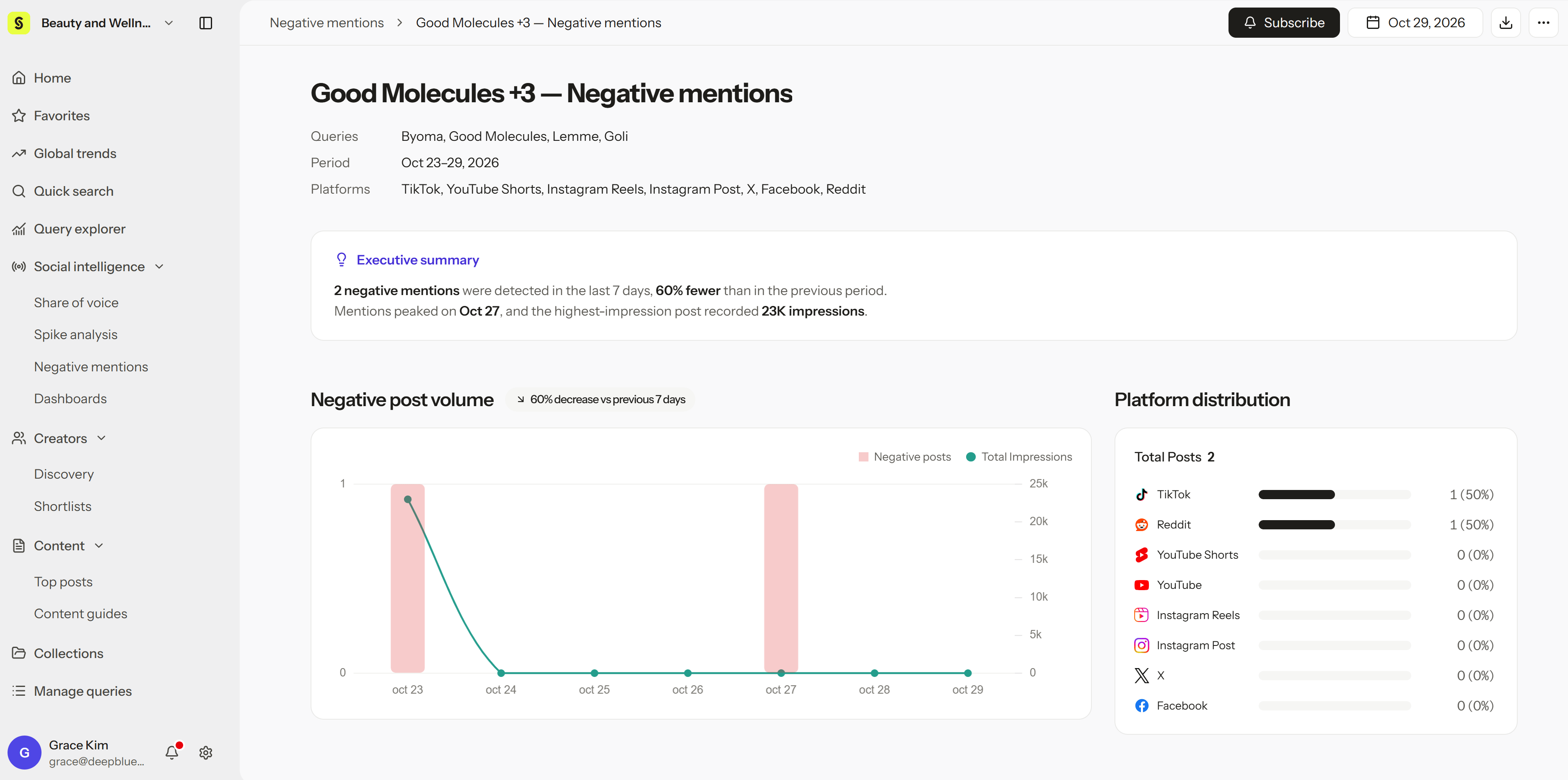
- 7-day window: Each report covers negative posts from the 7 days up to and including the selected date, in your workspace time zone.
- Comparison: Each report compares with the 7 days before, so you can see whether negative posts are rising.
- Daily reports: Reports are prepared each day in the background. Opening the page shows reports that are already ready; it doesn’t start a new analysis.
Read the results
- Negative post volume and change: The number of negative posts in the 7 days and how it changed from the previous period.
- Dates and platforms: Which days and platforms (TikTok, Instagram, YouTube, X, and more) the negative posts came from.
- Negative Point: A short AI summary of each complaint, in your workspace’s language.
- Original quotes and posts: The negative wording in its original language. Select a post to see the full caption, creator, and comments.
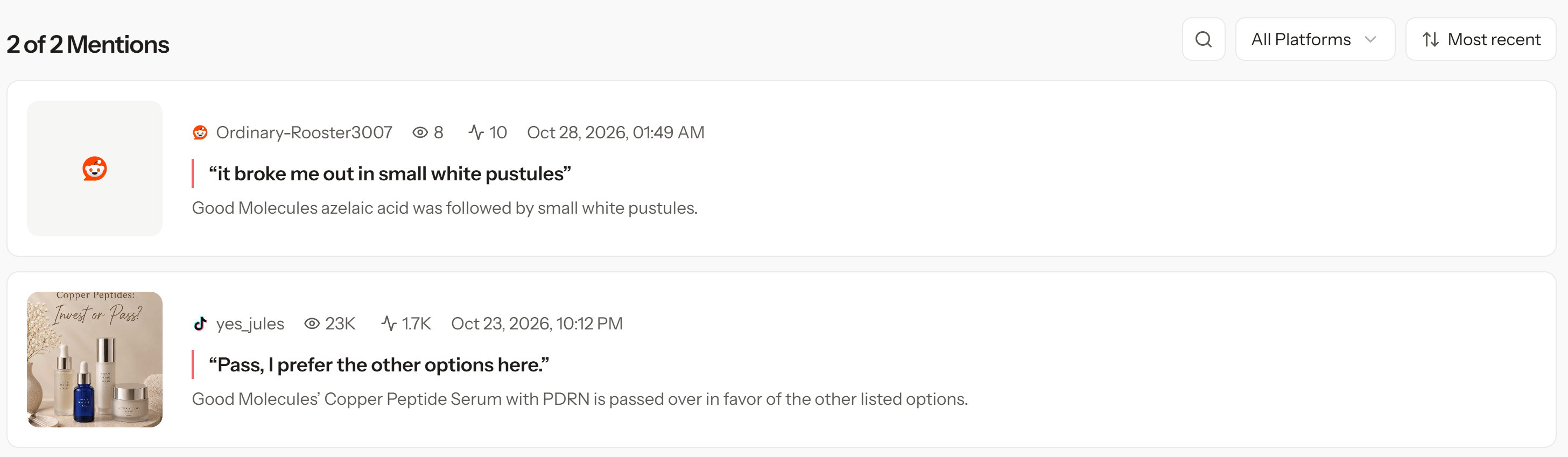
Negative Point summaries help you find issues quickly, but they’re AI summaries. Before responding publicly or starting a product review, read the original posts for full context.
Troubleshoot
Download or subscribe
- Download: Select the download icon at the top right to download the report as a PDF.
- Subscribe: Select Subscribe to get the report by email.